
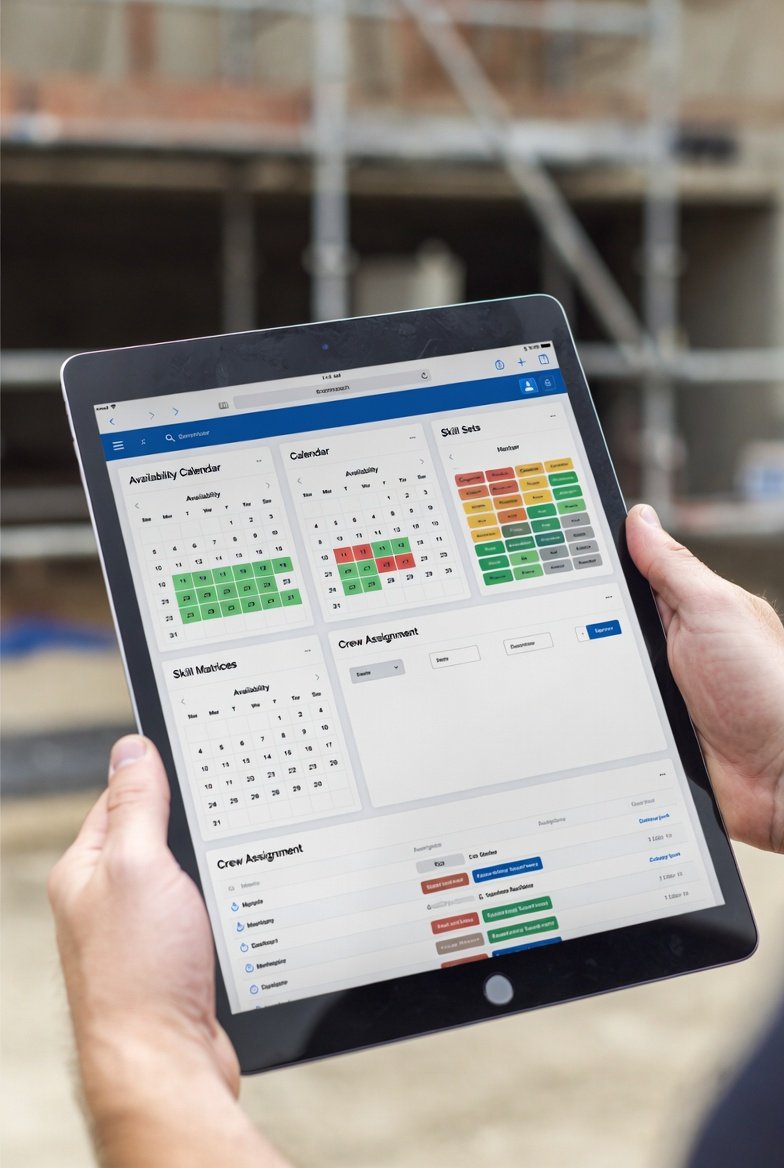
Every scheduling tool demo looks great. The salesperson drags a crew card across a slick calendar, a Gantt bar recalculates itself, a heat map lights up red where you're overloaded, and you nod along thinking, "Yeah, that'll fix us." Then you buy it, roll it out, and three weeks later your foremen are back to texting each other and marking up a printed schedule with a Sharpie. The software didn't fail because it was missing a feature. It failed because the features that impressed you in the demo weren't the ones that carry the weight on a Tuesday morning when a concrete pour got moved and you have to re-plan four crews before the 6:30 huddle.
I've bought, killed, and re-bought scheduling tools across enough jobs to have opinions. What follows is how I'd separate the features that actually earn their keep from the ones that just look good in a screenshot.
Start with the assignment, because that's the job
The core of any crew scheduling tool is dead simple to describe and surprisingly hard to do well: put the right crew on the right work in the right place at the right time. If the software makes that fast, it has a shot. If it makes that clumsy, nothing else matters.
What "fast" actually means on site:
- You can reassign a crew in seconds, not clicks-through-menus. When a pour slips a day, you're not re-planning one thing — you're cascading four downstream crews. If moving a crew takes five taps and a confirmation dialog, you'll stop doing it and the plan will drift out of sync with reality by Wednesday.
- Work is tied to a location, not just a date. "Framing, Level 3, east wing" tells a foreman where to send his guys. "Framing, week of the 14th" tells him nothing he can act on. Location-based planning is the difference between a schedule and a wish.
- You can see two crews stacked in the same area before it happens. The most expensive mistake in short-interval scheduling is two trades fighting over the same 200 square feet — drywall taping while the electrician is still trimming out. Good software shows you that collision on screen a week early, while it's still a keystroke to fix instead of a change order.
If a tool nails those three, it has already solved eighty percent of the problem. Most of the flashy stuff is decoration on top.
Capacity you can actually see
Capacity planning is where a lot of tools overpromise. The dream is software that magically balances your labor across every project. The reality you need is more modest and far more useful: show me, honestly, who I have and where the demand outruns the supply.
The feature that matters here is a plain, readable view of labor demand over the next two to six weeks against the crews you actually have. Not an AI-optimized theoretical schedule — a picture that lets you, the human who knows the job, spot the week where you've committed six framers to work that needs nine. Once you can see the gap, you have options: pull work forward, push it back, add a crew, or subcontract the overflow. The software's job is to make the gap visible early. The decision is yours, and it should be.
Overload alerts are worth having, but treat them as a nudge, not gospel. An alert that fires because your model thinks a two-man crew can't hang doors twice as fast as it did last month is noise. You'll learn to trust the demand-versus-capacity picture more than any automated red flag.
The mobile app is not a nice-to-have
Here's a hard rule I'd stand behind: if the field can't see the plan on a phone, the plan lives in the trailer and dies there. Your foremen and crew leaders are not sitting at a desktop. They're in a stairwell at 6:45 checking what their guys are on today.
What the mobile side needs to do well:
- Show a crew leader exactly what his people are on this week, at a glance. No login gymnastics, no digging. Open it, see the week.
- Survive bad signal. Elevator shafts, basements, tilt-up boxes with no bars — the app should hold the last synced plan and not go blank. Offline-tolerant beats offline-crippled every time.
- Push changes when they happen. If you moved a crew at 5 a.m., the foreman should get told before he lines his guys up on the wrong floor.
LookAheadWall built its companion app around exactly this — crew leaders pull up their weekly work plan on an iPhone, no training required — because a schedule nobody in the field can read is just paperwork.
Integration with the look-ahead is the whole point
Crew scheduling that lives in its own silo is how you end up maintaining two schedules that disagree. Your look-ahead says drywall starts Monday; your crew tool still has the tapers on the job that got pushed. Someone's going to trust the wrong one.
The feature that prevents this: crew assignments and the look-ahead schedule are the same data, not two copies you reconcile by hand. When the trade-flow sequence shifts — say inspection slips and rough-in can't close — the crews riding on that activity move with it automatically. That's what a rolling look-ahead is supposed to give you: change it once, and everything downstream stays honest.
This is also where the sequencing logic earns its money. Good software understands that framing has to clear before rough-in, that rough-in wants a buffer for cleanup and inspection before you close the wall, that you don't schedule finish flooring under crews still running lifts. When those relationships are baked into the trade flows, a schedule change doesn't just slide bars around — it respects the physics of how the work actually goes together.
Skill and certification tracking — right-sized
Skill tracking sounds great and is genuinely useful in the right dose. If you self-perform across trades, being able to filter for "who's certified to operate the scissor lift" or "who can run the laser and lay out" saves real time and keeps you off OSHA's radar.
The one piece I'd insist on: certification expiration tracking that warns you before the card lapses, not after. Finding out a guy's fall-protection cert expired last month — while he's on the swing stage — is the kind of surprise that ends careers. A simple expiring-soon list is cheap insurance.
Where I'd pump the brakes: elaborate skill matrices with a dozen proficiency levels per worker. On most jobs you'll populate that once, never update it, and it'll rot into misleading data. Track the certifications that carry legal and safety weight. Track the handful of specialized skills that actually constrain who you can assign. Skip the rest.
Subcontractor coordination and the honesty problem
On a job that's mostly subs, your "crew scheduling" is really trade coordination — and the feature that matters is a shared view every trade can see and, ideally, contribute to. When the plumber's foreman can look at the same weekly work plan and see that the framers won't clear Level 2 until Thursday, you've headed off the Monday no-show where he sent a crew to work that wasn't ready.
The gotcha nobody puts in the brochure: subs will tell you they've got six guys coming and show up with three. Software can't fix that, but it can surface it fast. A tool that lets subs commit to what they'll man, and then makes the gap between committed and actual visible, gives you the paper trail and the early warning. That ties directly into Last Planner thinking — commitments made in the open, and measured.
The Last Planner connection
If you run any flavor of the Last Planner System, the feature that matters is support for the discipline, not a badge that says "Lean." Concretely, that means the tool helps you check capacity before a crew commits to a week's work, so you're making promises you can keep instead of aspirational ones. And it should let you look back and measure how many of last week's planned tasks actually got done — your Percent Plan Complete — because that number, tracked honestly over weeks, is the single best predictor of whether your job is under control.
A tool doesn't need a fancy Last Planner module to support this. It needs clean weekly work plans, an honest record of what was committed, and an easy way to mark what actually finished. The methodology does the rest.
Reporting: two numbers beat twenty dashboards
Every tool wants to sell you reporting. Most of it you'll open once. The reports that genuinely move a job are few:
- Crew utilization — are your guys actually loaded, or are you paying for windshield time and standing around?
- Percent Plan Complete — the reliability of your weekly commitments, trended over time.
- A near-term labor forecast — enough visibility to hire, release, or shift crews before the crunch, not during it.
If a tool gives you those three cleanly, the rest of the report library is gravy. Fancy analytics you have to export and massage in a spreadsheet tend to become the reports nobody runs after the first month.
What to actively avoid
Features aren't free even when they're included. Every one adds a place to click, a thing to train, a field somebody has to keep current. The ones that quietly hurt you:
- Anything too complex for your slowest-to-adopt foreman. Adoption is the whole ballgame. A tool that's ninety percent used by everyone beats a tool that's a hundred percent capable but only you can drive.
- Capabilities you'll never touch. Deep payroll integrations, equipment-hour costing, five kinds of Gantt view — if it's not solving a problem you have this quarter, it's just surface area for confusion.
- Features that don't talk to your workflow. A slick module that won't connect to your look-ahead or your field team just becomes a third place the truth might be hiding.
How to evaluate before you buy
Don't evaluate features against a checklist. Evaluate them against a real week on your actual job. Take last week's genuine chaos — the pour that slipped, the sub who no-showed, the inspection that failed — and rebuild it in the trial. Time how long it takes to re-plan. Hand the phone to a foreman and watch whether he can find his crew's work without you narrating. The tool that survives your worst real Tuesday is the tool that'll survive the next one.
The best crew scheduling software for construction isn't the one with the longest feature list. It's the one your field will actually open every morning — fast to reassign, honest about capacity, readable on a phone, and wired straight into the look-ahead so there's one schedule everybody trusts. Get those right and the rest is decoration. Get those wrong and no amount of features will save you from going back to the Sharpie.