
The Multi-Family Scheduling Challenge
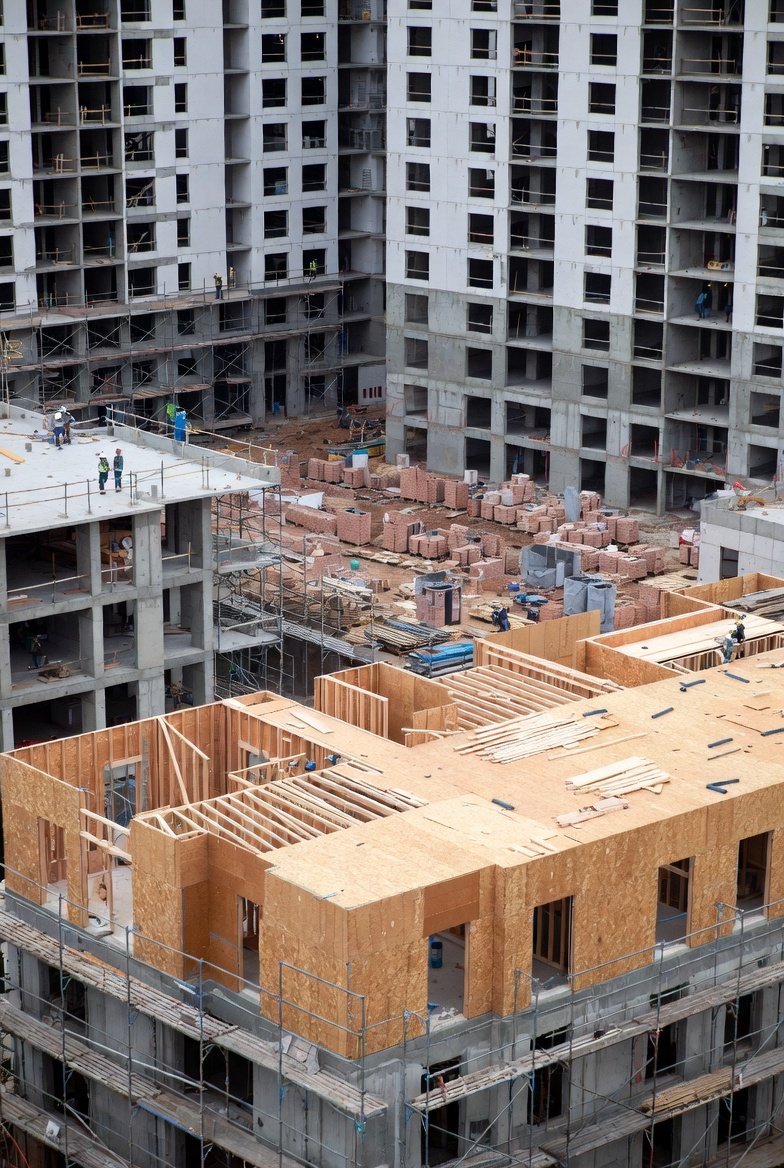
Multi-family residential projects occupy a unique space in construction scheduling. You're not building a single custom home, nor are you constructing a commercial office building. Instead, you're building dozens or hundreds of similar but not identical units, coordinating repetitive work across multiple buildings, floors, and unit types. This repetitive complexity creates scheduling challenges that demand specialized approaches in construction scheduling software.
The multi-family sector has exploded in recent years, driven by urbanization and housing demand. Contractors who master construction management software for this project type gain significant competitive advantages. The ability to efficiently schedule repetitive unit construction while managing the unique aspects of each building separates top performers from the rest.
Understanding Repetitive Construction
Multi-family's defining characteristic is repetition with variation:
Unit Types
Most projects include multiple unit types—studios, one-bedrooms, two-bedrooms, and potentially more. Each type has slightly different scope, though they share common sequences. Your construction project management software must handle this variation efficiently.
Building Configurations
Whether you're building multiple structures in a garden-style development or multiple floors in a mid-rise tower, the repetitive nature creates scheduling patterns. Contractor scheduling software that understands these patterns saves significant planning time.
Trade Flow
Ideally, trades flow through units systematically—electricians finish Unit 101, move to 102, then 103, while plumbers follow a day or two behind. The best construction scheduling software helps plan and visualize these flows.
Building vs. Unit Scheduling
Multi-family schedules operate at two levels:
Building Level
Major milestones apply to entire buildings or phases: foundation complete, structure topped out, building dried in, certificate of occupancy. Track these in your construction scheduling software for overall project monitoring.
Unit Level
Within buildings, work progresses unit by unit. Your construction management software should show both the macro building view and the micro unit view to give you complete visibility.
Connecting Both Levels
The challenge is connecting these levels. Building systems (corridors, amenities, common areas) must coordinate with unit work. Construction project management software that handles both levels and their connections prevents coordination failures.
Trade Flow Optimization
Efficient trade flow is the key to multi-family productivity:
Stacking Trades
Plan for multiple trades to work simultaneously in different units. While framing finishes Unit A, rough-ins start in Unit B. Your contractor scheduling software visualizes these parallel flows.
Flow Direction
Choose flow direction strategically. Do you work top-down or bottom-up? One end to the other or meeting in the middle? Best construction scheduling software helps model different approaches.
Crew Sizing
Match crew sizes to flow rates. If framers complete a unit per day, following trades need similar capacity. Your construction scheduling software highlights flow mismatches.
Buffer Units
Build buffer between trades to absorb variation. If the schedule shows framers one day ahead of rough-ins, any delay immediately impacts the next trade. Construction management software helps plan appropriate buffers.
Managing Multiple Buildings
Many multi-family projects include multiple buildings:
Phased Construction
Buildings often start at different times, creating rolling schedules. Your construction project management software should display all buildings while allowing focus on individual structures.
Resource Sharing
Subcontractors work across buildings. Coordinate their movement to minimize unproductive travel time. Contractor scheduling software that shows cross-building schedules helps optimize this.
Infrastructure Sequencing
Site utilities, parking, and common areas must coordinate with building schedules. Track these in your best construction scheduling software alongside building work.
Inspection Management
Multi-family projects require extensive inspections:
Unit Inspections
Each unit may need multiple inspections: rough MEP, insulation, final. Multiply by dozens or hundreds of units, and inspection scheduling becomes a major coordination challenge. Construction scheduling software tracks inspection holds systematically.
Building Inspections
Fire systems, elevators, building systems, and final building inspections add another layer. Your construction management software should distinguish building-level from unit-level inspections.
Inspector Coordination
Limited inspector availability can bottleneck progress. Schedule inspections proactively in your construction project management software and batch them efficiently.
Subcontractor Coordination Strategies
Multi-family requires different subcontractor approaches:
Dedicated Crews
Large multi-family projects often warrant dedicated subcontractor crews. These crews know the project and move efficiently through units. Track their productivity in contractor scheduling software.
Flow Commitments
Get subcontractors to commit to production rates. "We'll complete 4 units per week" is more useful than "we'll be done eventually." Hold them accountable through best construction scheduling software tracking.
Communication Systems
With dozens of units in various stages, clear communication is essential. Construction scheduling software becomes the single source of truth for what's ready for each trade.
Handling Unit Variations
Not all units are identical:
Unit Type Differences
Different bedroom counts mean different durations for finishes. Your construction management software should account for these variations in scheduling.
Upgrade Packages
Some units may have upgrades that affect schedule—higher-end finishes, additional features. Track these in your construction project management software.
Accessible Units
ADA units require additional work. Build this into your contractor scheduling software with appropriate duration extensions.
Model Units
Marketing often needs model units completed early. Prioritize these in your best construction scheduling software and track their accelerated schedules separately.
Turnover and Lease-Up Coordination
Multi-family projects typically turn over in phases:
Building Turnover
Each building receives its certificate of occupancy independently. Your construction scheduling software should track the specific requirements for each building's completion.
Unit Release
Management wants units released for leasing as they complete. Construction management software helps identify which units are ready and which are blocking leasing.
Amenity Completion
Common amenities (pools, fitness centers, clubhouses) often need to complete before or concurrent with first units. Schedule these carefully in your construction project management software.
Production Metrics
Track these metrics in your contractor scheduling software:
Units per Week
How many units are you completing each week? This is your fundamental production metric.
Cycle Time
How long from rough-in start to unit completion? Reducing cycle time improves overall schedule performance.
Flow Efficiency
Are trades flowing smoothly or experiencing starts and stops? Best construction scheduling software data reveals flow problems.
First-Time Inspection Pass Rate
Failed inspections disrupt flow. Track pass rates to identify quality issues before they become schedule problems.
Common Multi-Family Pitfalls
Avoid these multi-family scheduling mistakes:
Treating Units as Independent
Units connect through building systems and trade flows. Schedule them as part of an integrated system in your construction scheduling software, not as isolated projects.
Ignoring Flow Disruptions
When flow breaks down, the impact multiplies across many units. Address flow problems immediately using construction management software visibility.
Underestimating Common Areas
Corridors, amenities, and common areas are often scheduled last and become bottlenecks. Include them early in your construction project management software.
Late Inspection Scheduling
Waiting until work is complete to schedule inspections creates delays. Build proactive inspection scheduling into your contractor scheduling software processes.
Conclusion
Multi-family residential construction offers excellent opportunities for contractors who master its unique scheduling demands. The repetitive nature creates efficiency potential that best construction scheduling software helps you capture.
Focus on trade flow optimization, dual-level scheduling, and systematic inspection management. Use your construction scheduling software to visualize flows, track production, and coordinate across buildings and units.
The contractors who excel at multi-family scheduling deliver units faster, more predictably, and more profitably than their competitors. Construction management software is the foundation of this excellence.