
The Meeting That Makes or Breaks Projects
Every construction project depends on coordination between trades. The subcontractor coordination meeting is where that coordination either happens effectively or falls apart. Get these meetings right, and work flows smoothly. Get them wrong, and you're constantly firefighting conflicts, delays, and frustrated subcontractors. Construction scheduling software transforms these meetings from chaotic catch-up sessions into focused, productive coordination events.
Too many coordination meetings waste everyone's time. Subcontractors arrive not knowing what will be discussed. The same issues come up week after week without resolution. Commitments made in meetings aren't tracked or enforced. Construction management software provides the structure and visibility that makes coordination meetings actually work.
Pre-Meeting Preparation
Effective meetings start before anyone enters the room:
Update Your Schedule
Before the meeting, ensure your construction project management software reflects current reality. Update completed activities, adjust dates as needed, and resolve any obvious conflicts. You can't coordinate from an outdated schedule.
Identify Key Discussion Points
Review the coming weeks in your contractor scheduling software. What activities are critical? Where do trades overlap? What potential conflicts need resolution? Come to the meeting with a list of specific items to address.
Notify Attendees
Make sure all relevant subcontractor representatives know about the meeting. Share agenda items if appropriate. The best construction scheduling software can help you identify which trades have upcoming work and should attend.
Set Up Technology
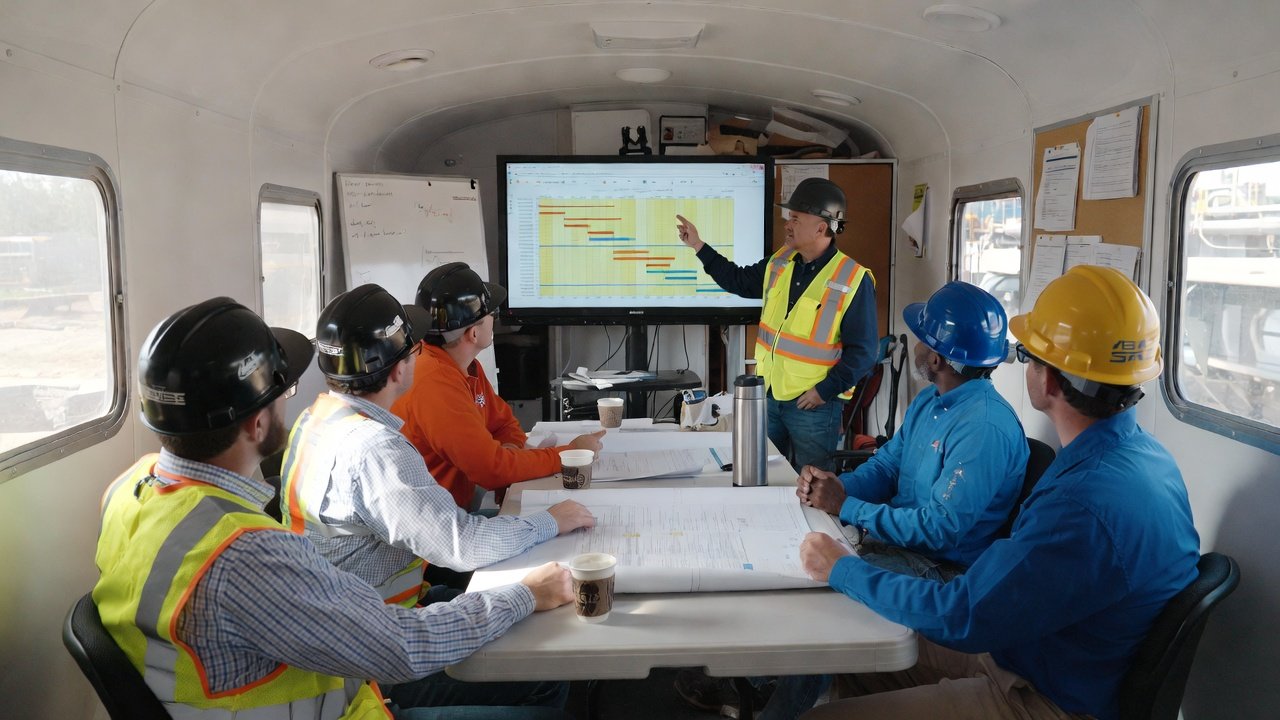
Have your construction scheduling software ready to project on a screen or TV. Test the connection before the meeting. Technical difficulties during the meeting waste valuable time.
Meeting Structure
A well-structured meeting covers ground efficiently:
Opening (5 minutes)
Start on time—always. Review any housekeeping items (safety, site logistics, administrative matters). Set expectations for the meeting duration and focus.
Last Week Review (10 minutes)
Quickly review what was scheduled last week versus what actually happened. Use your construction management software to show the comparison visually. Address any major variances—not to assign blame, but to understand patterns.
Current Week Status (10 minutes)
Walk through this week's remaining activities. Is everything on track? Are there any emerging issues? Update your construction project management software with any changes identified during this discussion.
Next Week(s) Preview (20-30 minutes)
This is the heart of the meeting. Walk through the coming two to three weeks trade by trade using your contractor scheduling software. For each trade:
- Confirm they understand their scheduled work
- Identify any constraints or concerns
- Get commitment to the scheduled dates
- Address coordination with other trades
Issue Resolution (15-20 minutes)
Address specific coordination issues identified in pre-meeting review or raised during the preview. Use your best construction scheduling software to visualize conflicts and model solutions.
Wrap-Up (5 minutes)
Summarize decisions made and commitments captured. Confirm next meeting date and time. Dismiss on time—respecting schedules builds credibility.
Using Your Schedule as the Visual Centerpiece
The projected schedule should be the focus of attention:
Visual Clarity
Color-coding in your construction scheduling software makes trade activities instantly identifiable. Everyone can see their color and find their work quickly.
Conflict Visibility
When two trades appear in the same space at the same time, it's visible to everyone. This shared visibility drives resolution. Construction management software makes problems obvious.
Real-Time Updates
Make changes during the meeting as decisions are made. When the meeting ends, everyone has already seen the updated schedule in the construction project management software.
Reference Point
When disputes arise about what was discussed or decided, the schedule provides documentation. Your contractor scheduling software becomes the source of truth.
Getting Commitments and Maintaining Accountability
Commitments mean nothing without accountability:
Capture Commitments Explicitly
When a subcontractor agrees to a date, say it out loud: "ABC Electric commits to complete rough-in in Unit 5 by Thursday." Make it clear that this is now recorded in your best construction scheduling software.
Follow Up on Missed Commitments
When commitments aren't met, address it in the next meeting. Why was the commitment missed? Was there a legitimate reason, or is this a pattern? Construction scheduling software history provides the facts for these conversations.
Balance Pressure with Support
Accountability isn't about punishment—it's about understanding obstacles and removing them. Use your construction management software to identify what's preventing trades from meeting commitments.
Common Meeting Problems and Solutions
Problem: Meeting Runs Too Long
Solution: Stick to the agenda. Park detailed issues for sidebar conversations. Use construction project management software to stay focused on coordination, not problem-solving every issue.
Problem: Same Issues Every Week
Solution: Track recurring issues and escalate appropriately. If the same conflict appears repeatedly, it needs resolution outside the meeting, not endless discussion in it.
Problem: Key People Don't Attend
Solution: Make meetings valuable enough that missing them creates disadvantage. When decisions are made and schedules are updated in contractor scheduling software during meetings, absent parties miss out.
Problem: No One Follows Up
Solution: Make your best construction scheduling software the follow-up mechanism. Commitments captured in the schedule are automatically tracked and visible.
Problem: Subcontractors Argue
Solution: Keep discussions focused on the schedule, not personal conflicts. Use construction scheduling software data as the objective basis for decisions.
Different Meeting Types
Not all coordination meetings are the same:
Weekly Coordination
The standard meeting covering the regular lookahead period. Uses your construction management software to coordinate near-term work.
Pre-Construction Kick-Off
Before work starts, walk through the entire project schedule. Ensure all trades understand sequencing and dependencies in your construction project management software.
Phase Transition
When moving from one phase to another (site work to structure, rough-ins to finishes), hold focused coordination meetings for the transition.
Emergency Coordination
When major issues arise—failed inspections, critical delays, scope changes—convene impacted trades quickly. Use contractor scheduling software to replan affected work.
Virtual and Hybrid Meetings
Sometimes in-person isn't possible:
Screen Sharing
Share your best construction scheduling software screen so remote participants can follow along. Make sure it's visible and updates are made in real-time.
Recording
Consider recording meetings for absent participants. They can see the schedule discussion and understand decisions made.
Document Sharing
After virtual meetings, share updated schedule exports from your construction scheduling software so everyone has reference materials.
Measuring Meeting Effectiveness
How do you know if your meetings are working?
- Fewer conflicts: Are trade conflicts decreasing over time?
- Better attendance: Do subcontractors prioritize your meetings?
- Schedule adherence: Are commitments made in meetings being kept?
- Meeting length: Are meetings staying on schedule?
- Issue resolution: Are problems getting solved, not just discussed?
Track these metrics using your construction management software data over time.
Conclusion
The subcontractor coordination meeting is where project coordination happens. Run it well, and trades work together smoothly. Run it poorly, and chaos and conflict follow. Construction scheduling software provides the visual centerpiece and documentation that makes coordination meetings effective.
Prepare thoroughly. Structure the meeting for efficiency. Use your construction project management software as the visual reference. Capture commitments and maintain accountability. Address problems when they arise and measure effectiveness over time.
Master the coordination meeting, and you master a core competency of construction project management. Your contractor scheduling software is your most valuable tool—use it to run meetings that your subcontractors actually find valuable.