
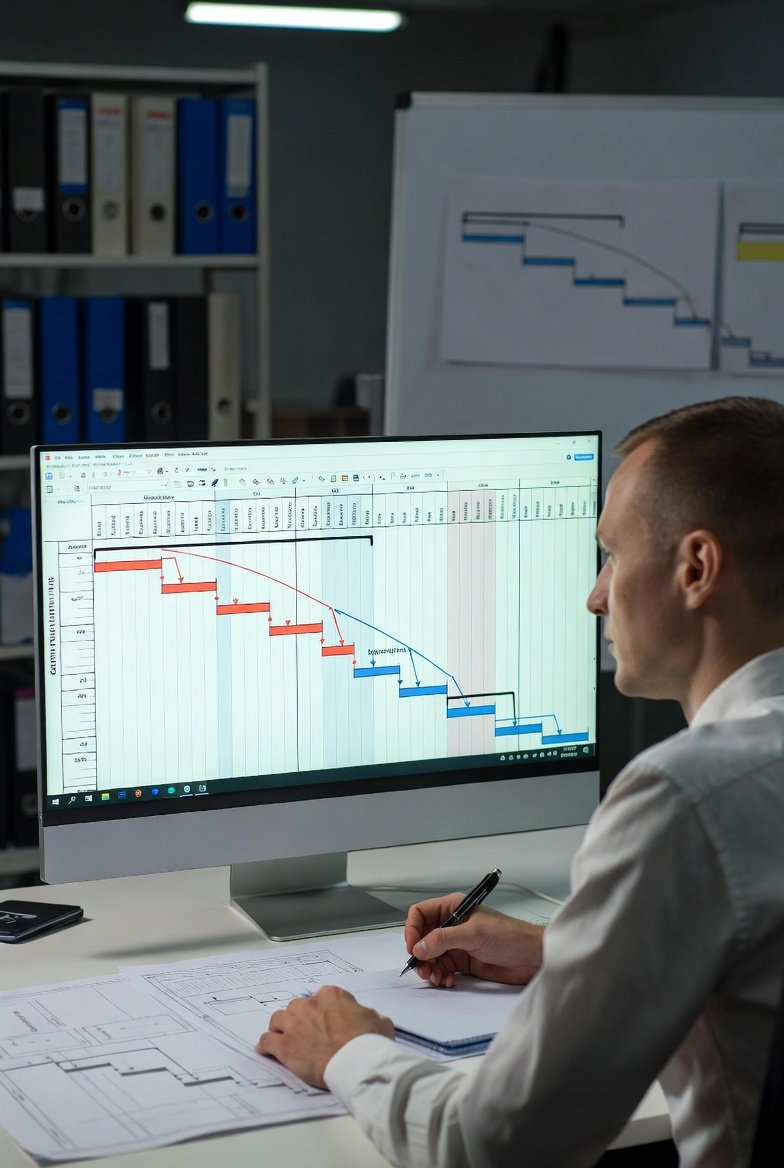
What Is the Critical Path?
Every construction project has a sequence of activities that determines the minimum possible project duration. This sequence—the critical path—is the longest chain of dependent activities from project start to finish. Delay any activity on the critical path, and the entire project finishes late. Construction scheduling software helps you identify and manage this crucial sequence.
Understanding critical path isn't just academic—it's essential for effective project management. When you know which activities are critical, you know where to focus your attention. When problems arise, you can immediately assess whether they affect the critical path or have float to absorb delays. Construction management software with critical path capabilities transforms how you prioritize your work.
The Basics of Critical Path Method
Critical Path Method (CPM) scheduling is built on several key concepts:
Activities and Durations
Every schedule activity has an estimated duration—how long it will take to complete. Your construction project management software tracks these durations and uses them for path calculations.
Dependencies
Activities relate to each other in specific ways:
- Finish-to-Start: Activity B can't start until Activity A finishes (most common)
- Start-to-Start: Activities can start at the same time
- Finish-to-Finish: Activities must finish together
- Start-to-Finish: Activity B can't finish until Activity A starts (rare)
Your contractor scheduling software should support these dependency types to accurately model work relationships.
Forward Pass
Starting from project start, calculate the earliest each activity can begin and finish based on its predecessors. Best construction scheduling software does this calculation automatically.
Backward Pass
Starting from project end, calculate the latest each activity can finish and start without delaying the project. This reveals which activities have flexibility and which don't.
Float
The difference between earliest and latest dates is float—the amount an activity can slip without affecting the project completion. Activities with zero float are critical; delay them and the project is delayed.
Why Critical Path Matters
Understanding critical path through your construction scheduling software enables better decisions:
Focus Your Attention
Not all activities are equally important. When resources are limited, focus on critical path activities first. Your construction management software helps you identify where your attention matters most.
Assess Delay Impact
When problems occur, the first question is: "Does this affect the critical path?" If yes, the project completion is threatened. If no, you have float to absorb the delay. Construction project management software answers this question instantly.
Evaluate Acceleration Options
When you need to finish faster, focus acceleration efforts on critical path activities. Accelerating non-critical activities doesn't change the completion date. Use your contractor scheduling software to identify where acceleration actually helps.
Manage Risk
Activities with zero float are higher risk—any delay becomes a project delay. Your best construction scheduling software should help you identify and manage these risks.
Identifying the Critical Path in Your Schedule
Here's how to find the critical path using construction scheduling software:
Ensure Complete Dependencies
The critical path calculation only works if dependencies are complete. Every activity should have predecessors and successors (except the first and last). Incomplete dependencies in your construction management software produce meaningless results.
Run the Calculation
Most construction project management software calculates critical path automatically when dependencies and durations are entered. Check your software's documentation for how to view critical path results.
Visual Identification
Many systems highlight critical path activities with distinct colors or markers. At a glance, you can see which activities are critical in your contractor scheduling software.
Float Reports
Generate reports showing float for all activities. Activities with zero or low float deserve extra attention. Your best construction scheduling software should support this reporting.
Managing the Critical Path
Once identified, manage your critical path actively:
Daily Monitoring
Check critical path activities daily. Are they progressing as planned? Update your construction scheduling software immediately when actual progress differs from plan.
Resource Priority
When allocating resources, critical path activities come first. Ensure crews, materials, and equipment are available when critical work needs them.
Risk Mitigation
For critical activities with high risk, develop contingency plans. What will you do if this activity delays? Having plans ready reduces response time when problems occur.
Path Watching
The critical path can change as the project progresses. Activities that weren't critical can become critical as float is consumed. Use your construction management software to monitor path changes.
Critical Path vs. Lookahead Scheduling
Critical path and lookahead scheduling serve different purposes:
Critical Path (Master Schedule)
The critical path lives in your master schedule—the complete project from start to finish. It shows overall project duration and identifies the controlling sequence. Construction project management software typically supports full CPM scheduling.
Lookahead (Working Schedule)
Lookaheads focus on near-term execution—typically 3-6 weeks. They provide detailed daily coordination without the full CPM analysis. Your contractor scheduling software may use simpler scheduling for lookaheads.
Integration
The best approach uses both: critical path analysis at the master schedule level, with lookaheads for day-to-day coordination. Best construction scheduling software supports both approaches in an integrated system.
Common Critical Path Misconceptions
Misconception: There's Only One Critical Path
Reality: Multiple parallel paths can be critical if they have the same duration. Your construction scheduling software may show multiple critical sequences.
Misconception: Critical Path Never Changes
Reality: As activities complete and conditions change, the critical path can shift. Regular recalculation in your construction management software is essential.
Misconception: Non-Critical Activities Don't Matter
Reality: Activities with float still matter—they just have more flexibility. Excessive slippage on non-critical activities eventually makes them critical.
Misconception: CPM Guarantees Success
Reality: CPM is a tool, not a guarantee. It only works if durations are realistic, dependencies are complete, and the schedule is actively managed using your construction project management software.
Practical Critical Path Tips
Start Simple
You don't need hundreds of activities to use critical path analysis. Even a simplified schedule with major activities provides valuable insights in your contractor scheduling software.
Verify Dependencies
Wrong dependencies produce wrong critical paths. Periodically review your best construction scheduling software dependencies to ensure they reflect reality.
Update Regularly
Stale data produces stale analysis. Update your construction scheduling software frequently to keep critical path analysis relevant.
Communicate Critical Activities
Make sure key team members know which activities are critical. This awareness helps everyone prioritize appropriately.
Conclusion
Critical path method is a fundamental scheduling concept that every construction professional should understand. It identifies the sequence of activities that determines project duration and shows where delays will impact completion. Construction scheduling software makes critical path analysis accessible and practical.
Ensure your schedule has complete dependencies and realistic durations. Use your construction management software to calculate and display the critical path. Monitor critical activities closely. Manage resources to protect the critical path. Understand that non-critical activities still matter but have flexibility.
Mastering critical path analysis through your construction project management software elevates your scheduling from task listing to true project management. The investment in understanding and applying CPM concepts pays dividends in better decisions and more predictable project outcomes.